CREATOR FORMAT GUIDE
How to Start Faceless UGC: A Practical Guide to No-Face Videos
Faceless UGC is creator-made content that demonstrates or explains a product without showing the creator’s face. It can use hands-only footage, point-of-view shots, screen recordings, voiceover, captions or product sounds. The right format depends on the product, the brief and what a viewer needs to see.


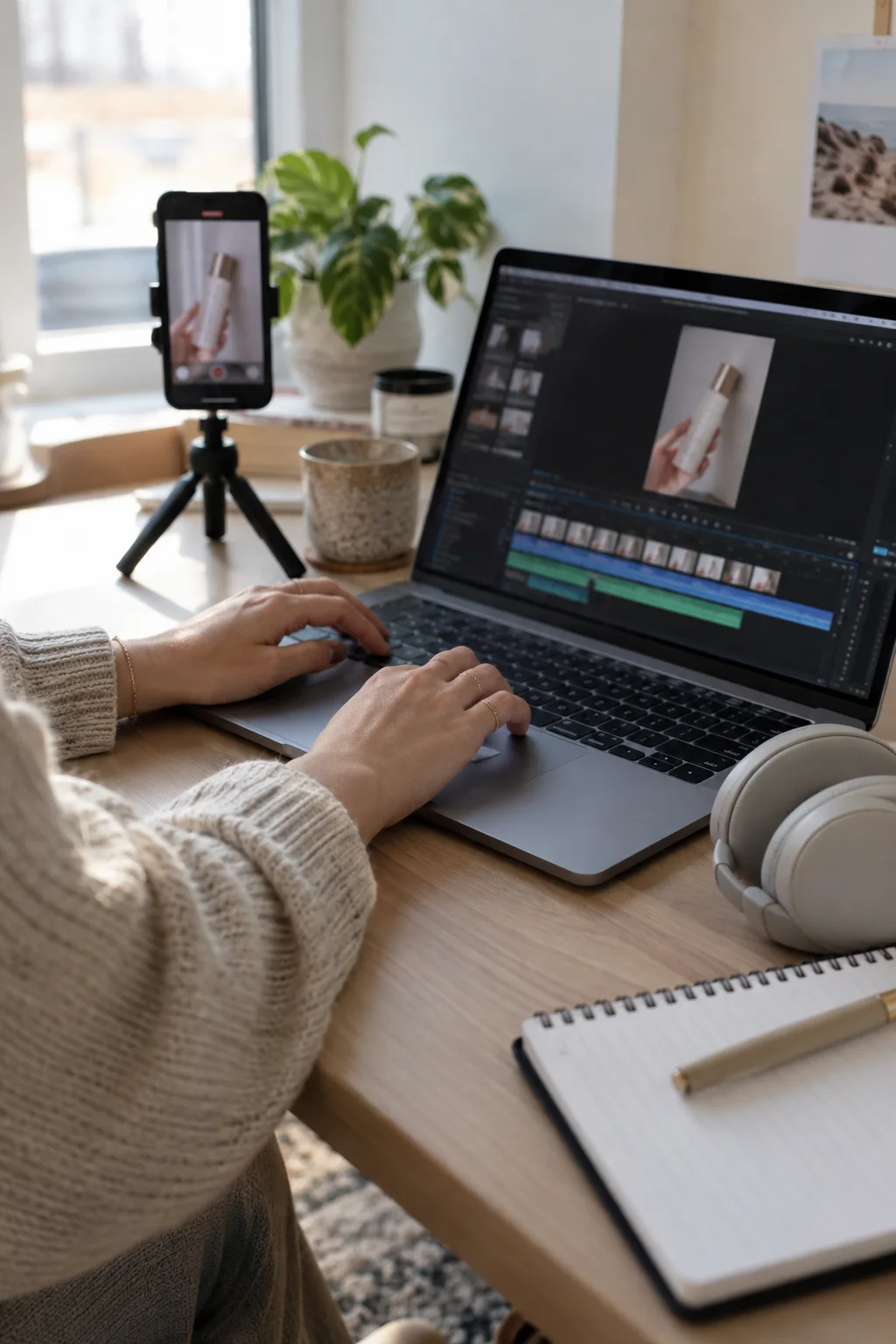
What faceless UGC is—and is not
“Faceless” describes what appears on camera; it does not mean the work has to feel anonymous or generic. A clear point of view, useful product detail, thoughtful pacing and honest context still matter. It is also different from pretending to be a customer: label self-directed practice as a sample, and do not invent a client relationship or product experience.
Choose a format that proves something
Hands-only footage works for demos, unboxings, recipes and close-up details. POV shots can make a routine or setup easier to follow. Screen recordings suit apps and digital services, while voiceover or on-screen captions can explain what the viewer is seeing. Use a format because it makes the product clearer, not simply because it hides your face.
Start with a simple, repeatable setup
A phone, a stable support, soft available light and a tidy surface are enough to make a first sample. Place the camera where it can show the action, check that labels and important details are readable, and record a short test before filming the full sequence. A dedicated studio or expensive camera is not a prerequisite.
Make three sample videos with different jobs
Try a concise product demonstration, a step-by-step routine and a problem-to-solution concept. Give each sample one clear idea: show the setup, explain a useful feature or demonstrate how a task is done. Use products you actually have, keep claims accurate and mark the work as a self-initiated sample rather than a paid campaign.
Edit for clarity, not decoration
Keep the useful action visible, trim pauses that do not help, and make captions large enough to read on a phone. Check the video with sound off and with sound on. Use music only when you have permission for the intended use; a popular social-platform sound may not be licensed for a brand’s ad.
Build a portfolio that explains the work
Lead with a few distinct examples and label each format, category and your role. Say whether a sample is self-initiated. If a brand asks for faceless work, confirm whether it means no face on camera, no spoken voice, or both—and agree on deliverables, revisions, usage and posting before production.
Separate making content from posting an endorsement
A creator can produce an asset for a brand without publishing it to a personal audience; that is different from being hired to post as an influencer. For U.S. endorsements published on your own account, the FTC says a material connection—such as payment or a free product—may need to be disclosed clearly. Not showing your face does not itself change that; agree with the brand how any published endorsement will be presented.
What equipment do you need for faceless UGC?
Begin with a smartphone and a stable tripod or overhead mount suited to the shot. Window light or a diffused lamp, a clean background and a quiet place for voiceover help, but the priority is steady framing and visible product details. Add gear only after you know which shot is difficult to make consistently.
QUICK ANSWERS
Questions about faceless UGC
Can you do UGC without showing your face?
Yes. Hands-only demonstrations, POV footage, overhead shots, screen recordings, voiceover and captions can all work when they fit the brief and clearly show the product or task.
Can you start faceless UGC with no followers?
Yes, for production-only work where you create an asset for a brand to use. If the job also requires you to publish it to your own audience, audience reach and account requirements become part of that separate scope.
Do faceless UGC creators need to use their voice?
No. A video can use captions, natural product sounds or a voiceover. Ask whether the brief means no face, no voice, or both, and make samples that show the formats you can deliver.
Can faceless UGC be paid work?
Brands may pay for creator-made assets, but there is no fixed or guaranteed income. Fees depend on the work, deliverables, rights, revisions and agreement; posting to an audience may be a separate service.
What is the easiest faceless UGC video to make first?
A short hands-only demonstration is a practical first exercise: show the product, perform one useful action and finish with a clear result. Choose something you can demonstrate truthfully and film in a stable, well-lit setup.